

KODE Labs documentation
Guides for the smart building operating system
Learn how to connect building systems, run operations, analyze performance, and manage energy across your portfolio. Start with Cloud BMS, then explore the rest of the KODE OS platform.
200+
Building system connectors
9
Documented Products
1
Unified Platform
Choose a starting path
Pick the workflow that matches what you need to do first.

Set up the platform
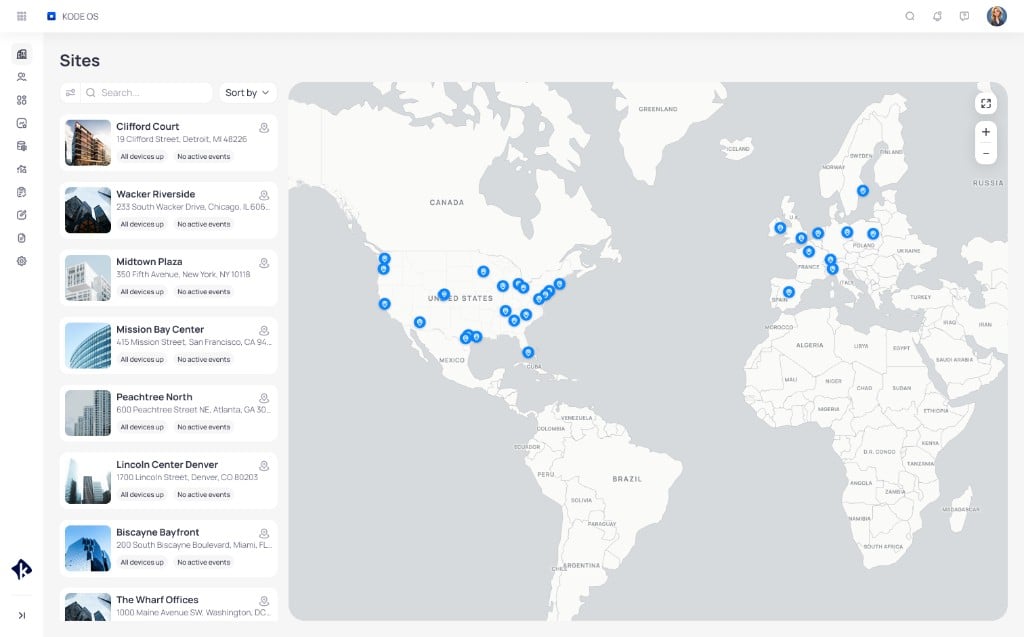
Learn Cloud BMS scopes, sites, devices, and how the portfolio fits together.

Manage energy and utilities
Centralize meters, budgets, emissions, and sustainability reporting in EnerG.

Build dashboards
Create Building BI collections, charts, and portfolio views for your teams.

Detect and resolve faults
Use FDD events and AssetOps work orders to close the loop from finding to fix.
Explore products
Each product has its own docs set. Use the product switcher at the top of the site to move between them.
Cloud BMS
Cloud-based building management for monitoring, control, graphics, and trends.
Open docs →Building BI
Dashboards and analytics for building and portfolio performance.
Open docs →EnerG
Energy, utility, and sustainability intelligence for enterprise portfolios.
Open docs →FDD
Find equipment faults early and manage incidents with FDD routines and events.
Open docs →
FTT
Automated functional testing and commissioning workflows.
Open docs →
AssetOps
Work orders, preventive maintenance, assets, and field operations.
Open docs →
Launchpad
Manage apps, users, organizations, and building access.
Open docs →
Mobile app
Monitor and operate buildings from iOS and Android.
Open docs →Integrations
Connect 200+ building systems, protocols, and third-party platforms.
Open docs →How the platform fits together
KODE products follow a clear operating loop: connect systems, control buildings, understand performance, detect issues, and act on them.
Connect
Bring BMS, IoT, and utility data into Cloud BMS and Integrations.
Control
Command points, schedules, graphics, and Optimized Start/Stop.
Understand
Use Building BI and EnerG for insight.
Detect
Run FDD and FTT to find faults and verify equipment behavior.
Act
Close work in AssetOps and keep teams aligned on mobile.
Common questions
How do I sign in?
How do I sign in?
Set Password. The link expires
after 24 hours. Then open your workspace URL. It looks like
yourcompany.kodelabs.com.Use Login with Email. If your invite lists SSO, use that button
instead. If the link expired, select Forgot password on the
workspace sign-in page.See Workspaces and sign-in.I do not know my workspace URL
I do not know my workspace URL
Continue.If you do not know the domain, select Find your workspaces and
enter your email. KODE sends a link to the right workspace. Your
administrator can also share the URL.I signed in, but I do not see any apps
I signed in, but I do not see any apps
Where should I start after I sign in?
Where should I start after I sign in?
How do KODE products relate to each other?
How do KODE products relate to each other?
Can I use KODE on my phone?
Can I use KODE on my phone?
Ready to dig in?
Open Cloud BMS docs, or start the Building BI tutorial and build your first dashboard.